Product information for online stores
Every product, in one place, ready for search.
LakeShelf pulls your products from every store and spreadsheet into one catalogue on your Mac. Fix a product once, send it to each sales channel in the format that channel wants, and see how ready it is for Google and AI assistants.
Apple silicon Macs · Your catalogue stays on your computer
From scattered product data to one clean catalogue
Three steps, in the order you would do them by hand, without the copying and pasting.
-
1
Gather
Pull products straight from your stores, or import the CSV, Excel and JSON files you already have. Everything lands in a data lake, kept exactly as each source provided it.
-
2
Clean up
LakeShelf matches products across sources by SKU and merges them into one record each. Correct a value once and your edit wins over every source until you clear it.
-
3
Send out
Set up a channel for each place you sell. Each one picks its own products, columns and wording, tells you which products are ready, and exports a file that channel accepts.
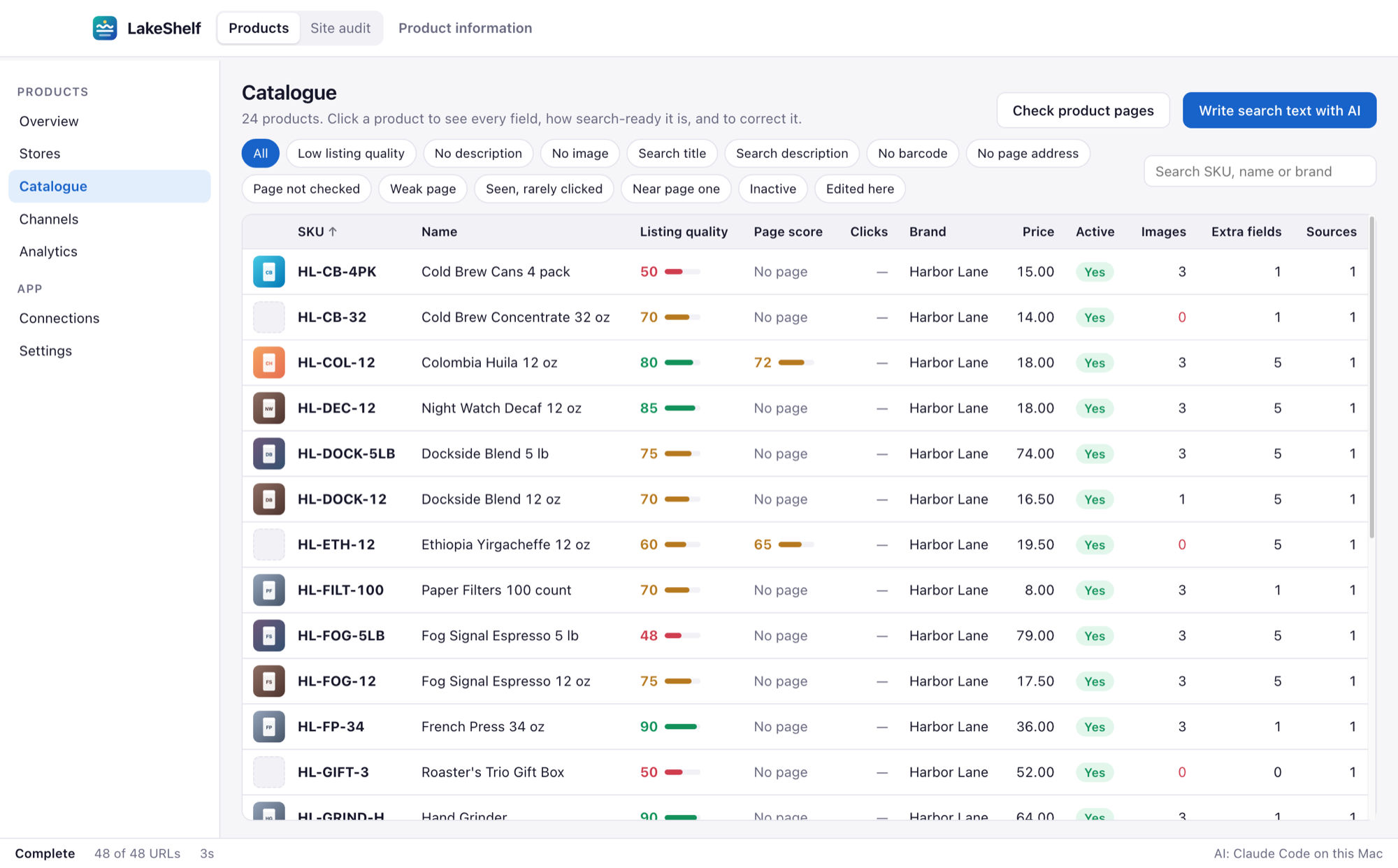
Catalogue
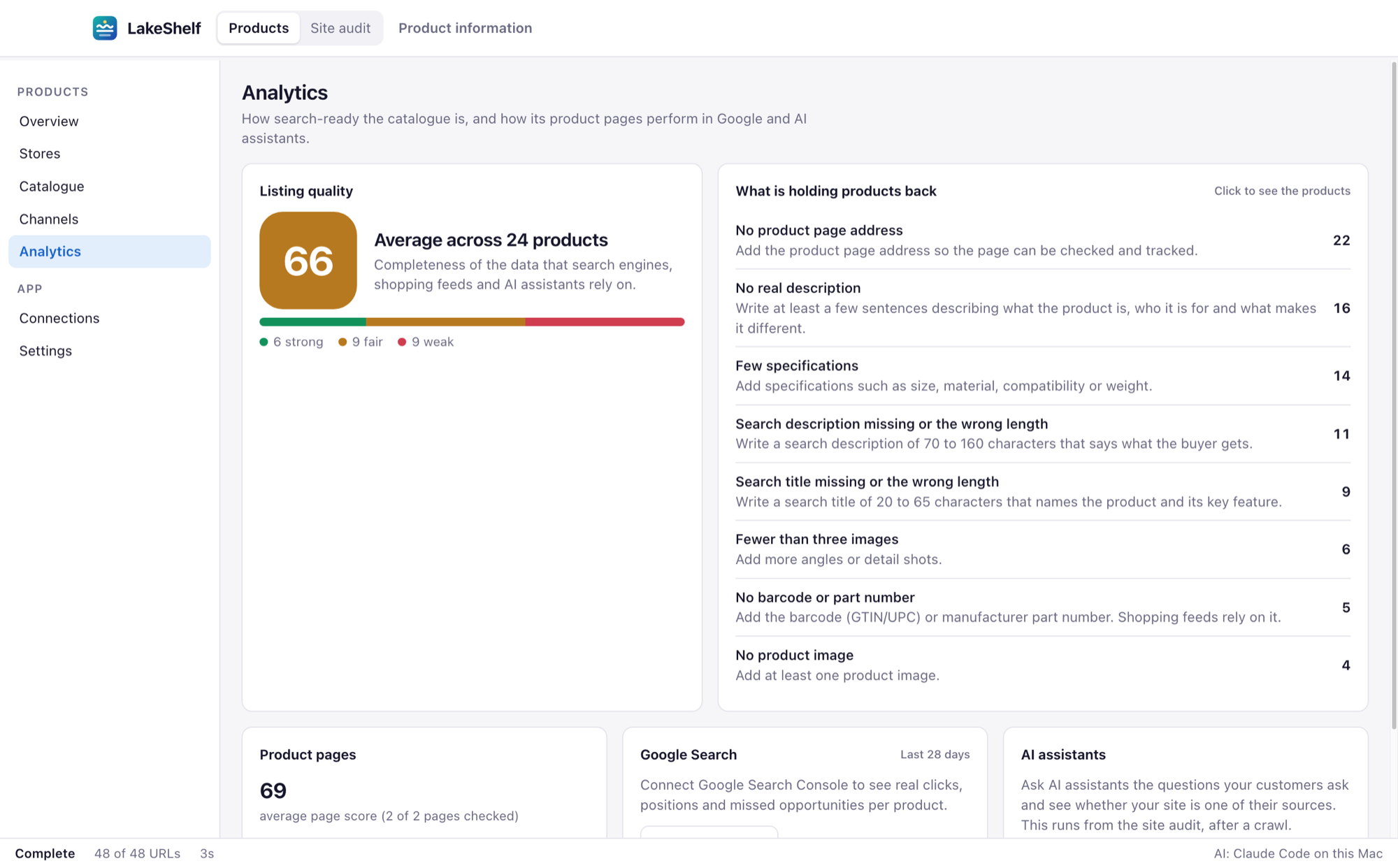
See what each product is missing
Every product gets a listing quality score out of 100, built from the things search engines, shopping feeds and AI assistants rely on: a real description, images, a barcode, a category, a search title and more.
- One click filters to products with no description, no image or no barcode
- Each product shows what to fix and how many points it is worth
- A full change log shows what changed in each source, and when
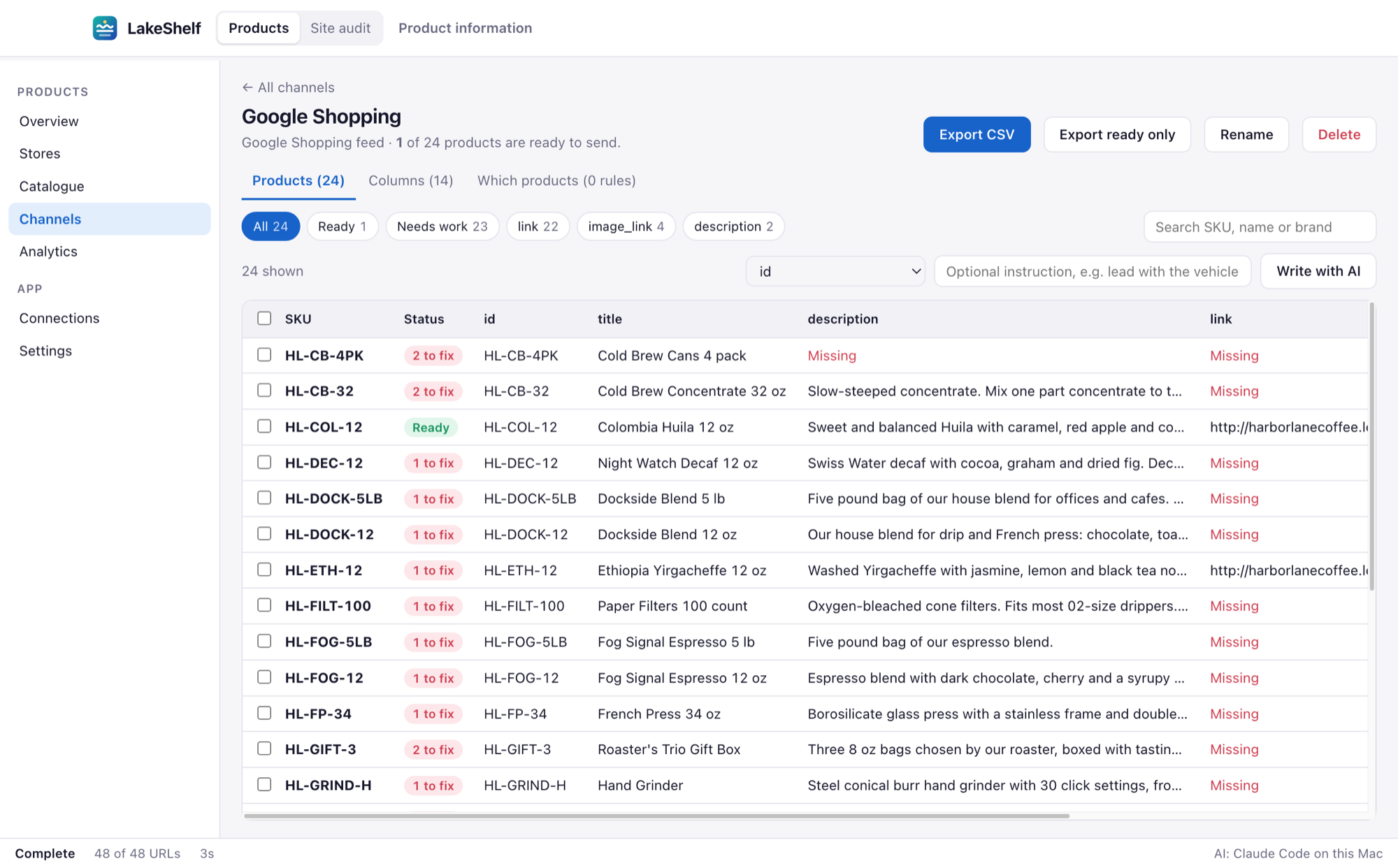
Channels
One catalogue, a different feed for each channel
Start from a template for Google Shopping, Meta, Shopify or a marketplace, or build your own. LakeShelf maps your fields to the channel's columns and flags every product that would be rejected.
- Rules decide which products belong in each channel
- Reword a title for one channel without touching the catalogue
- Export everything, or only the products that are ready
Search and AI
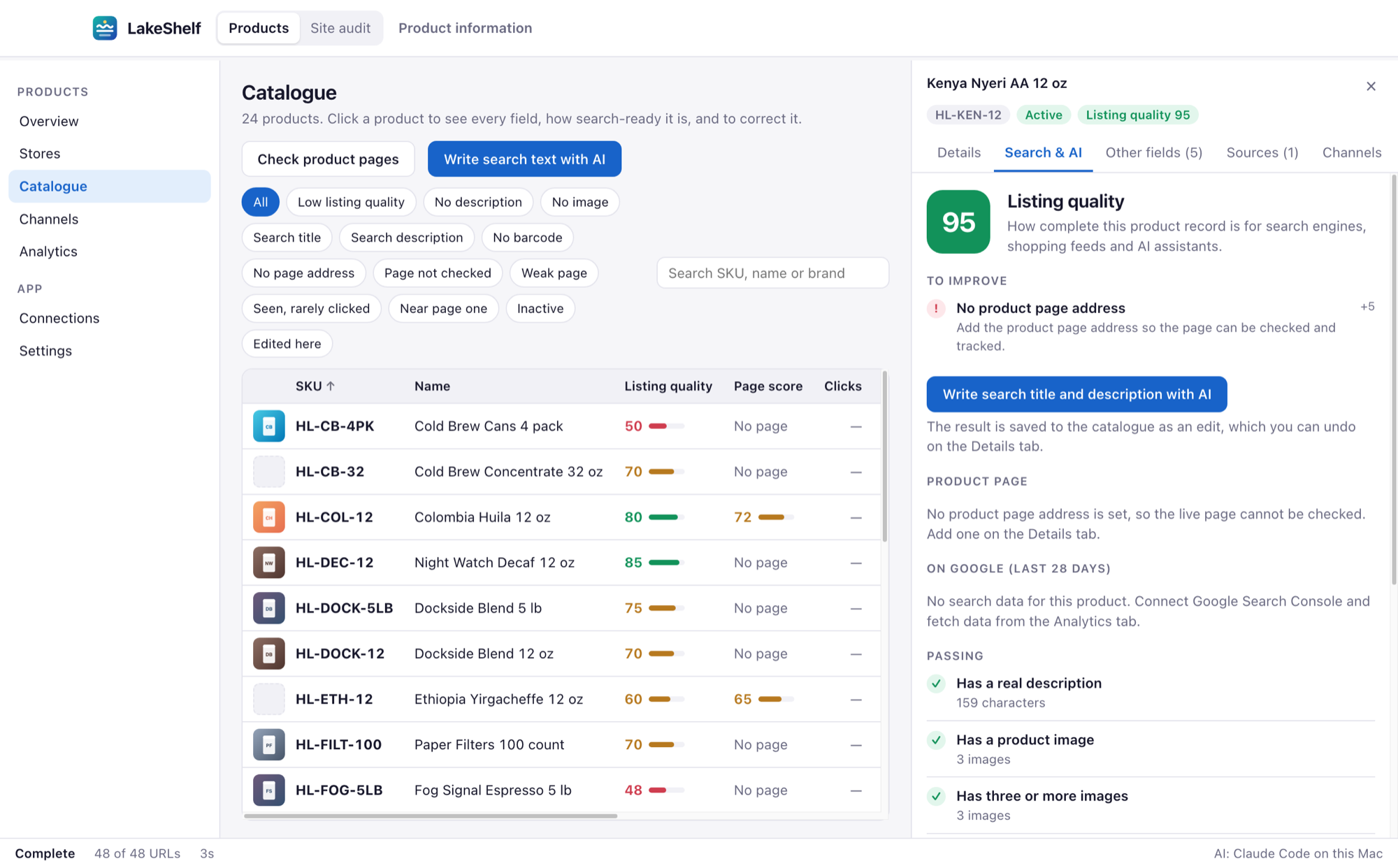
Write the missing search text with AI
Connect the AI you already use and LakeShelf writes search titles and descriptions for the products that lack them, one at a time or a whole filter at once. Every result is saved as an edit you can review and undo.
- Works with Claude, OpenAI, Gemini, a local Ollama model or any OpenAI-compatible service
- Connect Google Search Console to see clicks and position beside each product
- Find products that are seen but rarely clicked, or sitting just off page one
Site audit
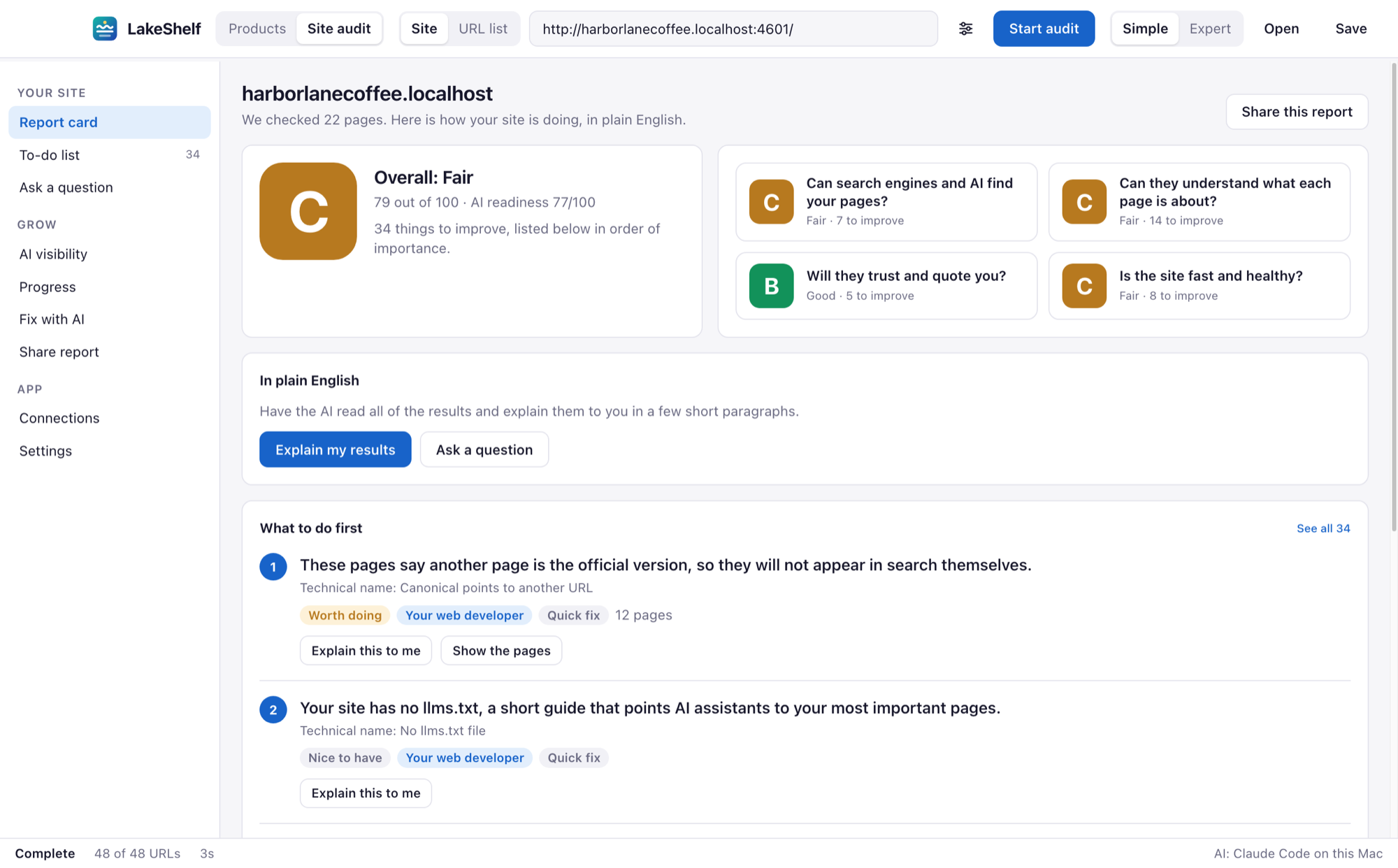
A website report card in plain English
Point LakeShelf at your site and it reads every page the way a search engine or AI assistant would. You get a grade, a to-do list in order of importance, and who should handle each item.
- Simple view for owners and marketers, Expert view for developers
- Ask a question about your results and get an answer in everyday words
- Share the report as a web page or PDF, with a hand-off list for your developer
Works with the stores you already run
Connect a store with its own access key, then pull its products in one go. No store? Import a spreadsheet instead.
- Shopify
- WooCommerce
- BigCommerce
- Adobe Commerce (Magento)
- Miva
- WordPress
- CSV
- Excel
- JSON
LakeShelf is an independent product. The names above belong to their owners and are used only to say which systems it connects to.
Your catalogue lives on your Mac
LakeShelf is a desktop app. There is no LakeShelf account to create and no LakeShelf server holding your products. The catalogue is a database file in your own user folder.
- No sign-up. Download, open, start importing.
- Your keys stay local. Store and AI keys are saved on your Mac and sent only to the service they belong to.
- You choose the AI. Product text goes to an AI service only when you ask for AI help, and only to the one you connected.
Questions
What does LakeShelf run on?
Macs with Apple silicon (M1 or newer). It is a normal Mac app: download it, drag it to Applications and open it.
Do I need to connect a store to use it?
No. You can import CSV, Excel or JSON files and use everything else. Connecting a store saves you the export step and keeps the catalogue up to date when you pull again.
Do I need my own AI account?
Only for the AI features, such as writing search text or explaining results. You connect a service you already have: Claude, OpenAI, Gemini, a local Ollama model or any OpenAI-compatible service. Everything else works without AI.
Does LakeShelf change my store?
Pulling products only reads from your store. Publishing a search title or description back to a page is a separate step that you start yourself, after reviewing the new text.
What is a data lake?
It is the raw copy of everything each source sent, kept untouched. The catalogue is built from it, so you can always see where a value came from and nothing is lost when two sources disagree.
Where is my data stored?
On your Mac, in your user folder. LakeShelf has no server of its own. See the privacy page for exactly what leaves your computer and when.

Get your catalogue in order
Bring in your products and see your first listing quality scores in a few minutes.
Download for MacApple silicon Macs